Pinterest Description Generator
& Pinterest Title Generator 5 pin titles and descriptions from any page or topic
Paste a page URL or type a topic and get 5 SEO-optimized pin titles and descriptions built from real Pinterest search data, in your language.
What makes this title and description generator different
One researched keyword per pin
Each of the five pins is built on a different keyword from the tool's research, and every pin shows its keyword. Five pins, five searches they can be found for.
Details from your page
The writing starts from your page's title, description and text, so the pins mention what is really there. The dress pin below talks about the tie waist and side pockets because the product page does.
Inside Pinterest's limits
Titles stay within 100 characters and descriptions within 500 characters, and a counter under each pin shows the length.
Written in your language
Pick one of 29 languages and the pins are written in it, from keywords researched for that language, not translated word by word.
Pin titles and descriptions it wrote for 10 niches
We made 10 sample pages, one per niche, and ran the title and description generator on each of them on 17 October 2026. Below is exactly what it returned, with long lists shortened. The photos on the sample pages were made with AI for this test. Results for your own page will be different.
Linen Wrap Midi Dress in Sage Green
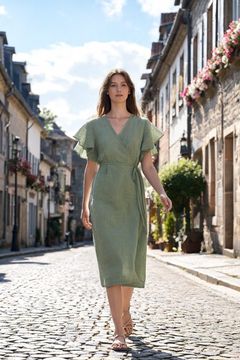
This linen wrap dress in soft sage green is the one you'll pack for every trip. Breathable washed linen, a tie waist you can adjust and hidden side pockets. Style it with sandals at the beach or white sneakers in the city. Shop the dress now.
242/500 Keyword: linen wrap dressThe first of the 5 pins it wrote. The other 4 are built on sage green dress, linen midi dress, green dress outfit and minimalist summer dress.
Small Living Room Ideas: 9 Ways to Make It Feel Bigger
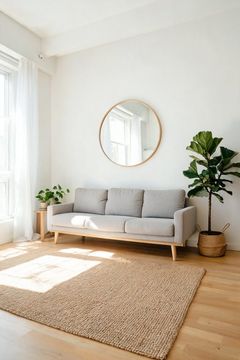
Want your small living room to feel bigger without knocking down walls? These 9 small living room ideas use light colors, a large mirror, leggy furniture and vertical storage to open up a tiny space. Simple changes from free quick fixes to weekend projects. Save this for your next refresh!
290/500 Keyword: small living room ideasThe first of the 5 pins it wrote. The other 4 are built on make small room look bigger, small apartment living room, space saving furniture and mirror decor ideas.
Fall Nail Ideas: 12 Easy Designs You Can Do at Home

No salon needed for these fall nail ideas. Twelve easy autumn designs you can do at home with regular polish, a dotting tool and a thin brush, from brown French tips to tortoiseshell accent nails. Plus the exact fall nail colors to grab: burgundy, chocolate brown, olive and copper chrome.
289/500 Keyword: fall nail ideasThe first of the 5 pins it wrote. The other 4 are built on autumn nail designs, fall nail art, fall nail designs and simple fall nails.
Morning Skincare Routine for Dry Skin in 5 Simple Steps
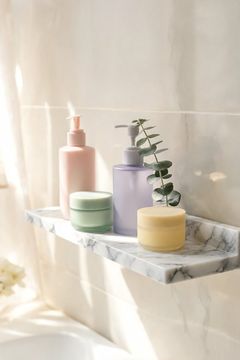
Dry skin needs water first, then something to seal it in. This morning skincare routine for dry skin walks you through five simple steps in the right order: creamy cleanser, hydrating toner, serum, moisturizer and sunscreen. No extra products, no guesswork. Save it and give it four weeks before you judge the results.
318/500 Keyword: morning skincare routine for dry skinThe first of the 5 pins it wrote. The other 4 are built on skincare routine order, simple skincare routine, hydrating skincare routine and dry skin routine.
One Pan Lemon Garlic Chicken (30 Minute Dinner)
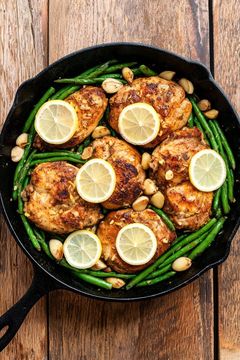
This one pan lemon garlic chicken is the weeknight dinner you'll make on repeat: crispy chicken thighs, buttery lemon garlic sauce and green beans all in one skillet. Just 30 minutes from fridge to table and only one pan to wash. Get the full recipe and tips for crispier skin.
277/500 Keyword: one pan lemon garlic chickenThe first of the 5 pins it wrote. The other 4 are built on easy weeknight chicken dinner, crispy chicken thighs recipe, one pan chicken and green beans and quick chicken dinner ideas.
Rustic Fall Wedding Ideas on a Budget
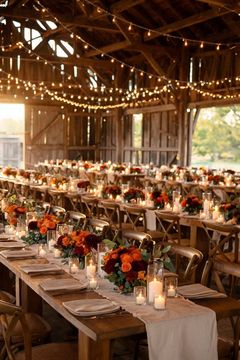
Candles in clear jars and mismatched brass holders make the best rustic wedding centerpieces, and they cost way less than florals. See the full list of budget fall decor ideas our couples loved most. #rusticwedding #fallwedding #weddingcenterpieces
248/500 Keyword: rustic wedding centerpiecesThe first of the 5 pins it wrote. The other 4 are built on fall wedding decorations, budget wedding flowers, wedding candle centerpieces and country wedding ideas.
DIY Macrame Plant Hanger for Beginners (Step by Step)
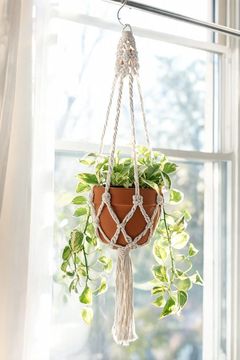
No macrame experience? You only need two knots to make this easy macrame plant hanger. Grab 30 m of cotton cord, a wooden ring and a small pot, then follow the steps. Full beginner tutorial with materials list and tips for even tension.
236/500 Keyword: easy macrame plant hangerThe first of the 5 pins it wrote. The other 4 are built on diy macrame plant hanger, macrame plant hanger for beginners, how to make macrame plant hanger and simple macrame plant hanger.
20 Minute Home Workout for Beginners (No Equipment)
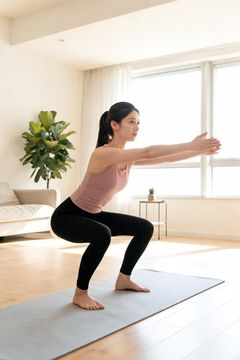
Short on time? This full body home workout takes 20 minutes and needs zero equipment. Five moves, clear times and rest, done in your living room. Save it and try it three times a week. #homeworkout #beginnerfitness #fullbodyworkout
231/500 Keyword: full body home workoutThe first of the 5 pins it wrote. The other 4 are built on beginner home workout, home workout for beginners, bodyweight workout beginner and twenty minute workout.
3 Days in Lisbon: A First Timer's Itinerary
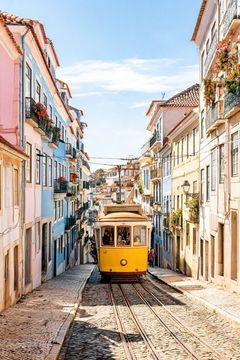
Three days in lisbon: Planning your first trip? This 3 days in Lisbon itinerary covers Alfama and the yellow tram, Belem and pastel de nata, plus the best sunset viewpoints. A relaxed plan with time for coffee and pastries in between. Save it for your Lisbon trip planning! #Lisbon #LisbonItinerary #PortugalTravel
314/500 Keyword: three days in lisbonThe first of the 5 pins it wrote. The other 4 are built on first time lisbon, lisbon itinerary, lisbon travel guide and lisbon trip planning.
Handmade Gold Hoop Earrings with Hammered Texture
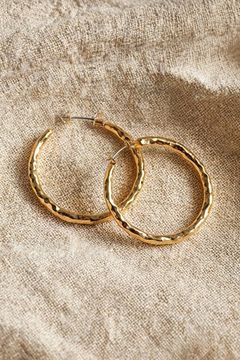
Looking for hammered gold hoop earrings that feel light all day? These 14k gold filled hoops are hand textured in the studio, so each pair catches the light a little differently. Just 1.5 g per earring, nickel free, and gift boxed. Perfect for everyday wear or a thoughtful handmade jewelry gift.
296/500 Keyword: hammered gold hoop earringsThe first of the 5 pins it wrote. The other 4 are built on small gold hoop earrings, 14k gold filled hoops, lightweight gold hoops and handmade jewelry gift.
How it works
Paste a URL or type a topic
The tool reads your page (its title, description and text) or works from the topic you type.
Pick the language and market
English (United States) is selected for you. Choose another language and every title and description is written in it.
Get 5 ready-to-use pins
Each built around a different real keyword, within Pinterest's limits: 100 characters for a title, 500 for a description.
What makes a good Pinterest title and description
- Keyword first: people search Pinterest like a search engine. Start the title with what they type.
- Specific beats clever: "15-minute chicken dinners" is found and clicked; "Dinner magic" is not.
- Descriptions are read by Pinterest: say what the reader gets, in normal sentences, with two or three related keywords.
- One pin, one angle: make several pins for the same page, each on a different keyword. That is why you get five.
The counter under each pin shows the length against Pinterest's limits: titles up to 100 characters, descriptions up to 500 characters.
Where the keywords come from
Before writing, the tool researches keywords for your page. In English it uses Pinterest's own ads data for monthly search numbers; in 16 other languages it uses trending keywords from Pinterest Trends. Each pin shows the keyword it is built on. To see the full list with numbers, use the Pinterest keyword tool; for a few matching hashtags, try the Pinterest hashtag generator.
A Pinterest title generator and description generator in one
Most tools do one or the other. This one is a Pinterest title generator and a Pinterest description generator at once, because the two have to match: the title wins the click, and the Pinterest description tells Pinterest what the pin is about, so it can show it to the right Pinterest users. The writing is AI-powered, but every pin is built on a real keyword, so the AI writes for what your target audience searches, not just for what sounds nice.
How to write pin descriptions that rank
- Use relevant keywords naturally. Two or three related phrases in normal sentences beat a list of keywords. Pinterest SEO rewards descriptions that read well.
- Add long-tail phrases. "Easy vegan lunch ideas for work" is searched less than "vegan recipes", but by people who want exactly your pin.
- End with a call to action. Calls to action like "Save this for later" or "Get the full recipe" tell people what to do next.
- Write unique titles for every pin. When you make several pins for one page, optimize titles and descriptions around a different keyword each time, so each Pinterest post can be found for its own search.
SiteToSocial does the same for every page of your website every day, automatically: it researches the keywords, writes the title and description and posts the pin.
How to use the Pinterest pin title generator
Paste the page you want to promote, or type a topic, pick the language and click Generate Pins. You get five pins, each with a title and a description built on a different keyword, and a copy button for each. Want more options? Change the topic a little and generate titles again.
The title is the first thing people read under your image, so it does the most for your click-through rates. Put the searched phrase first, say what the reader gets, and keep it specific. "15-minute chicken dinners" tells people exactly what they will find; "Dinner magic" makes them guess.
Example: a pin description before and after
Here is a description many bloggers write for a recipe pin:
“My favourite chicken recipe, so good!”
It says nothing Pinterest can match to a search, and nothing that makes a reader stop. The same pin, written the way this Pinterest description generator writes it:
“Easy chicken dinners for busy weeknights: 15 recipes ready in 30 minutes with simple ingredients the whole family loves. Start with the lemon garlic chicken and save this list for your next meal plan. #chickendinner #easyrecipes”
The searched phrase comes first, the reader learns exactly what they get, two related phrases (“30 minutes”, “meal plan”) appear in normal sentences, and it ends with a reason to save. That is the pattern behind every description the tool writes: each one includes relevant keywords in normal sentences, never a list of them.
When to use a Pinterest description generator
- New pins for older posts. A post from last year can get fresh pins with new titles and descriptions. Pinterest favours fresh pins, and the post is already written.
- Several pins for one page. Five descriptions, each on its own keyword, let you pin the same post on different days without repeating yourself.
- Seasonal updates. Paste the same page before a holiday or a new season and the keywords follow what people search now.
- Another language or market. Pick the language and country and the descriptions are written for that audience, not translated word by word.
- Product pages. Paste a product page from your shop and get pin descriptions that say what it is, who it is for and why to click.
Common mistakes in Pinterest descriptions
- A list of keywords. Pinterest reads sentences. A row of words separated by commas reads like spam to people and to Pinterest.
- A wall of hashtags. Two to five relevant hashtags at the end are plenty; the words in the description matter more.
- Describing only the photo. “Beautiful kitchen” tells nobody what they will find on your page. Say what the reader gets.
- The same description on every pin. Copying one text across many pins wastes the chance to be found for other searches.
- Promises the page does not keep. If the pin says 30 minutes, the recipe should take 30 minutes. People who feel misled do not save or come back.
Frequently asked questions
What does the Pinterest Pin Generator do?
It reads your page or topic, finds the keywords people search on Pinterest, and writes 5 pin titles and descriptions around them, each on a different keyword and ready to copy.
Is this tool really free?
Yes. You get 3 free generations a day with this tool, with no signup. For automatic pinning every day, check out SiteToSocial's paid plans.
How are the keywords chosen?
For English, from Pinterest's own ads keyword data, highest monthly searches first. For 16 other languages, from Pinterest Trends. Each pin shows which keyword it uses.
Can it write pins in other languages?
Yes. Choose one of 29 languages and every title and description is written in that language, using keywords researched for it.
How long should a Pinterest title and description be?
Pinterest allows up to 100 characters for a title and 500 for a description. Only the start of a title shows in the feed, so put the main keyword first. The counters under each pin show the length.
Want this fully automated?
SiteToSocial writes pins like these for every page of your site and posts them to Pinterest on autopilot. From $10 per website a month.
See Pricing →